Contents (15 sections)
In today's fast-paced environment, effective task lighting is paramount to ensuring productivity, especially in home offices and workspaces. Here, we present ten essential tips to optimise your task lighting, helping you create a well-lit, comfortable, and efficient working environment.
1. Understand the Function of Task Lighting
Before you dive into lighting products, it’s crucial to understand what task lighting is. Task lighting refers to any lighting designed to assist with specific tasks, be it reading, writing, or crafting. By illuminating your workspace adequately, you not only reduce eye strain but also improve your focus. A well-lit area is vital for maintaining productivity levels, particularly for those who spend long hours working from home.
2. Choose the Right Light Fixture
Selecting the right light fixture is essential for effective task lighting. Consider LED desk lamps for direct and adjustable lighting, ensuring they offer a bright, focused beam. Additionally, look for adjustable settings, such as brightness levels or colour temperature, to tailor the illumination to your task needs. This flexibility can make a significant difference in comfort and effectiveness during prolonged periods of work.
3. Consider Layered Lighting
Layered lighting combines various light sources to create a balanced and versatile atmosphere. Incorporate ambient light from ceiling fixtures, accent lights for specific features, and task lighting in your workspace. For example, using a desk lamp combined with overhead lighting can help reduce shadows and improve visibility, creating a more inviting and efficient workspace.
4. Dimmable Options are Key
Dimmable lights are an excellent addition to any workspace. They allow you to control the light intensity based on the time of day and the tasks at hand. Bright, harsh lighting can be vigorous during the day but may become overwhelming as evening approaches. Dimming your lights in the evening promotes a more relaxed atmosphere, helping you wind down after a busy day. According to studies, working in dim environments can also help reduce fatigue.
5. Positioning is Everything
The positioning of your light sources plays a pivotal role in the effectiveness of task lighting. Ideally, your light should come from the opposite side of your dominant hand to minimise shadows. For right-handed individuals, this means positioning the light to the left, and vice versa for left-handed users. Remember to avoid glare from windows or overhead installations, which can be distracting and counterproductive.
6. Opt for Natural Light
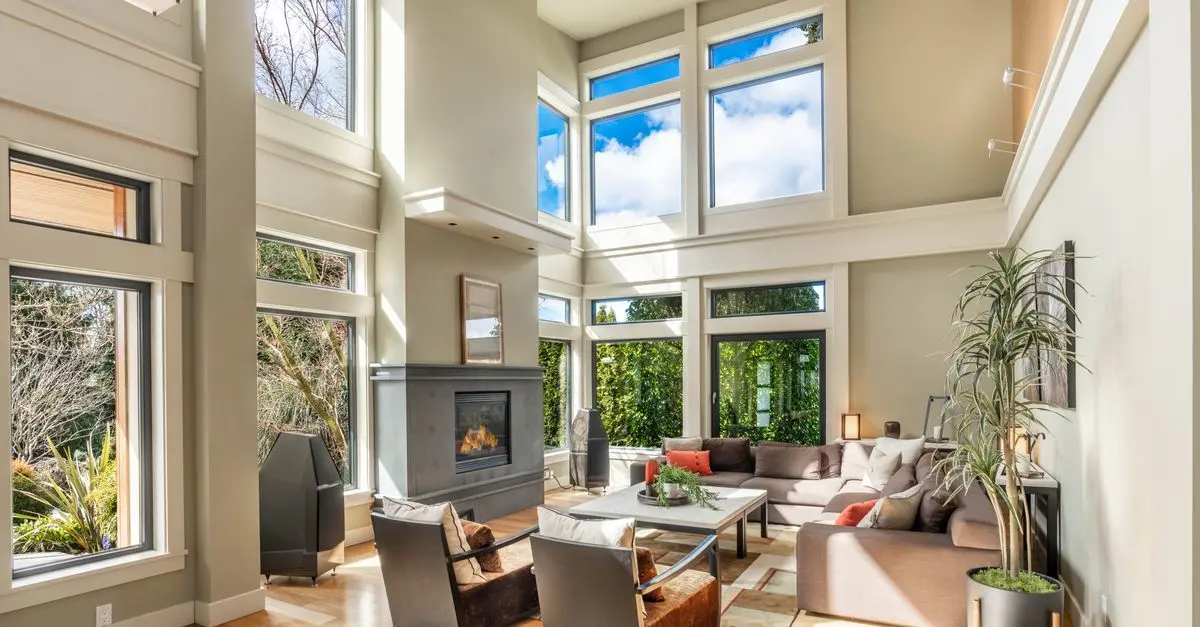
Whenever possible, utilise natural light to your advantage. Position your desk near windows, allowing sunlight to fill your workspace. Not only does natural light enhance mood and energy levels, but studies, including one published by the American Society of Interior Designers, suggest that exposure to daylight in workspaces is linked to higher productivity and overall well-being. However, be mindful of potential glare and adjust your blinds or shades accordingly.
7. Maintain Colour Temperature Balance
Another important factor in creating effective task lighting is the colour temperature of your lights. Ideally, you should aim for a balance that mimics daylight, typically around 5000K to 6500K. This cooler light is beneficial for tasks requiring focus and detail, while a warmer temperature can make spaces feel cozier and more inviting during breaks or relaxation periods.
8. Regular Maintenance of Fixtures
An often overlooked aspect of task lighting is the maintenance of light fixtures. Regularly check and clean your light sources to ensure optimal brightness. Dust and dirt can accumulate on lamps and bulbs, significantly reducing their luminosity. Additionally, replace any burnt-out bulbs promptly to maintain a consistent working environment. Regular maintenance not only extends the lifespan of your lighting fixtures but also enhances their efficiency.
9. Incorporate Smart Lighting Solutions
Embracing smart lighting can transform your workspace. Smart bulbs allow you to control your lighting through a smartphone or voice assistant, adjusting brightness and colour temperature on the go. This technology can enhance your productivity, especially if you frequently change tasks throughout the day. Consider scheduling your lighting to mimic natural light patterns to further enhance your workspace comfort.
10. Personalise Your Workspace
Finally, personalising your workspace with task lighting can make it a more inviting and motivating place to work. Perhaps you prefer a sleek, modern desk lamp or a vintage-style fixture. Whatever your aesthetic, choose task lighting that complements your style while fulfilling functional needs. Personal touches can boost your mood and keep you engaged in your work, ultimately enhancing productivity.
Glossaire
| Terme | Définition |
|---|---|
| Luminosité | Mesure de la lumière perçue par l'œil humain. |
| Température de couleur | Mesure en Kelvin (K) qui décrit la couleur de la lumière. |
| Éclairage ambiant | Lumière générale qui illumine tout un espace. |
Checklist avant achat
- [ ] Déterminer les besoins en éclairage
- [ ] Comparer des lampes LED avec d'autres types de lampes
- [ ] Vérifier la possibilité de dimmables
- [ ] Contrôler la température de couleur des ampoules
- [ ] Évaluer la position de votre espace de travail
🧠 Quiz rapide : What is essential when selecting a task light?
- A) Brightness only
- B) Colour temperature
- C) Both A and B
Réponse : C — Both brightness and colour temperature affect the quality of task lighting.

TCL NXTPAPER 14 Mediatek 256 GB 36.3 cm (14.3") 8 GB Wi-Fi 5 (802.11ac) Android 14 Grey
Back to the Office

📺 Ressource Vidéo
Pour aller plus loin : Guide complet d'éclairage de bureau, une analyse complète de l'éclairage au travail. Recherchez sur YouTube : task lighting tips 2026.
- TCL NXTPAPER 14: Un écran qui offre une excellente expérience de travail avec sa technologie NXTPAPER.
- Draper Rechargeable 7W COB LED Inspection Light: Idéal pour une visibilité parfaite dans votre espace de travail.
- HomeHomer Gaming Desk RGB Lighting: Combine fonctionnalité et esthétique moderne pour une ambiance personnalisée dans votre bureau.
En appliquant ces conseils, vous créerez un environnement de travail propice à la productivité et à la créativité. Pour améliorer l'éclairage de votre bureau, découvrez nos recommandations ci-dessous.
📺 Pour aller plus loin : Design Expert’s Guide to Lighting Your Interior | Tricks of the Trade sur YouTube
Recommended products
Selected by our experts


TCL NXTPAPER 14 Mediatek 256 GB 36.3 cm (14.3") 8 GB Wi-Fi 5 (802.11ac) Android 14 Grey
Quzo UK