Contents (10 sections)
Creating an effective home office environment goes beyond just having the right desk and chair; it significantly involves choosing the right lighting. Good home office lighting is crucial for productivity and can have a substantial effect on your mood and energy levels. Poor lighting can lead to strain on your eyes and even headaches, which is why this guide will explore various lighting options, their benefits, and how to create the most conducive workspace. It is essential to consider where you work and how the available light interacts with the space.
1. Understanding the Importance of Lighting in Your Home Office
The right lighting in your home office can affect your mood, concentration, and overall productivity. Studies indicate that exposure to natural light boosts employee satisfaction and efficiency by over 20%. On the other hand, ineffective lighting can increase fatigue and hinder performance. To optimise your workspace, five main principles guide effective home office lighting:
- Natural Light: Position your workspace near a window to take full advantage of daylight, as it can enhance your mood and well-being.
- Task Lighting: This refers to focused lighting that illuminates your work area without creating glare or shadows. It includes desk lamps and adjustable overhead lights.
- Ambient Lighting: Considered as the main source of light in a room, ambient lighting should be soft and diffused to make your office feel warm and inviting.
- Accent Lighting: This type is used to highlight specific areas or features of your home office, adding visual interest.
- Circadian Lighting: Using adjustable lights can simulate natural light changes throughout the day, which can significantly impact your circadian rhythms, helping you to stay alert.
Understanding these principles will facilitate better decisions when selecting lighting fixtures and arrangements.
2. Assessing Your Office Layout
Before purchasing any lighting solutions, evaluate your home office layout carefully. Take into account the orientation of the room, the size of the windows, and any existing light sources. For example, an office facing south will receive more natural light than one facing north. Based on this assessment, here are practical steps to follow:
- Map Out the Space: Note where each piece of furniture sits and how it interacts with existing light sources.
- Identify Dark Spots: Pay attention to areas that remain shadowy, as these will require additional task or ambient lighting.
- Consider Adjustable Features: If your space allows, incorporate adjustable desk lamps and dimmable lights to adapt your lighting according to the time of day.
- Reflective Surfaces: Use light-coloured walls and surfaces to reflect light and brighten the space, making it feel more spacious and inviting.


Ruma Grey Self Lined Linen Drum Lamp Shade for Table Lamps & Floor Lamps Grey
debenhams.com

Samsung Galaxy Book6 (16", Core Ultra 7, 16GB), a Copilot+ PC
Back to the Office
3. Choosing Lighting Fixtures
With a clear understanding of your workspace, you can move on to selecting the right lighting fixtures. The following options are widely regarded for their practicality and effectiveness:
- Desk Lamps: Ideal for focused lighting. Look for models with adjustable brightness and colour temperatures.
- Floor Lamps: Useful for larger spaces, offering ambient light that covers a wide area.
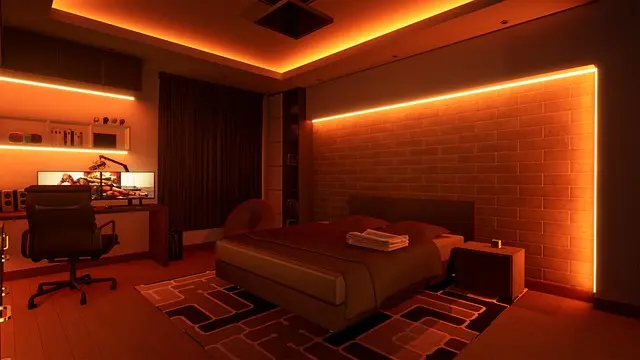
- LED Strips: These can be placed under shelves or around the desk to provide mood-enhancing accents.
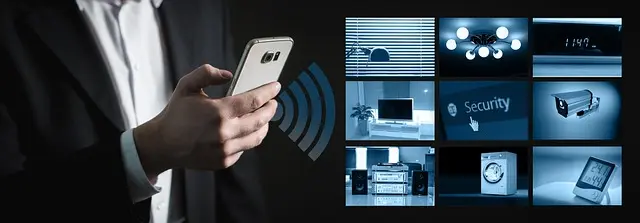
- Smart Bulbs: Enable control over brightness and colour temperature through smartphone applications, adapting the lighting to your needs easily.
When choosing fixtures, consider their height, proximity to work surfaces, and the intensity of light they provide.
4. Organising Your Lighting Layers
Effective home office lighting involves multiple layers to ensure balance and versatility. Here’s how you can organise the lighting in your workspace:
- Start with Ambient Lighting: This should uniformly illuminate the room. Consider overhead fixtures or ceiling-mounted lights that cast a wide light without harsh shadows.
- Add Task Lighting: Individual workspaces may require specific task lighting. Position desk lamps approximately 15–30 cm above the workspace for optimal functionality.
- Incorporate Accent Lighting: Enhance the aesthetic of your office by adding LED strips or artwork spotlights that bring energy to the space without overwhelming it.
- Include Natural Light Elements: Use sheer curtains instead of blinds to diffuse sunlight while maintaining visibility outside.
- Control Light Levels: Invest in smart switches or dimmers to adjust the intensity of each layer depending on your activities and time of day.
5. Creating a Comfortable Atmosphere
Having the right lighting setup will significantly transform your workspace into a comfortable haven. Here’s a checklist to ensure all elements align for your ideal environment:
- Aim for a blend of natural and artificial light, adjusting as days change.
- Filter through various bulb colours (warm and cool) to find what suits you best, as these can affect your mood.
- Regularly maintain fixtures by cleaning fixtures to remove dust and ensure light quality. Avoid glare by positioning screens at a right angle to the windows.
Checklist before You Buy Lighting Products
- [ ] Evaluate your home office layout.
- [ ] Identify preferred lighting strategies (task, ambient, accent).
- [ ] Research adjustable lighting fixtures.
- [ ] Measure space to ensure product proportions.
- [ ] Check energy ratings for sustainability.

Samsung Galaxy Book6 (16", Core Ultra 5, 16GB), a Copilot+ PC
Back to the Office

Ruma Grey Self Lined Linen Drum Lamp Shade for Table Lamps & Floor Lamps - Grey - Size: One Size
wallis.co.uk

Samsung Galaxy S25 SM-S931B/DS 15.8 cm (6.2") Dual SIM Android 15 5G USB Type-C 12 GB 512 GB 4000 mAh Black, Blue
Back to the Office
Glossary
| Terme | Définition |
|---|---|
| Ambient Lighting | Light that provides a soft illumination throughout a room, enhancing the overall visibility without harsh shadows. |
| Task Lighting | Focused light designed to illuminate a specific area to facilitate detailed work such as writing or drawing. |
| Accent Lighting | Additional lighting used to highlight specific objects or areas, creating a visually stimulating environment. |
📺 Ressource Vidéo
> 📺 For further learning: Understanding Home Office Lighting provides a comprehensive overview of different lighting types and their effects. Search for “how to choose home office lighting 2026” on YouTube.
📺 Pour aller plus loin : Design Expert’s Guide to Lighting Your Interior | Tricks of the Trade sur YouTube
Recommended products
Selected by our experts


TP-Link Archer GE400 BE6500 wireless router 2.5 Gigabit Ethernet Dual-band (2.4 GHz / 5 GHz)
Back to the Office


TP-Link Archer GXE75 wireless router 2.5 Gigabit Ethernet Tri-band (2.4 GHz / 5 GHz / 6 GHz)
Back to the Office